tool · 1 items
QuickDoc — Desktop Document Manager with MCP AI
Search, filter and ZIP your documents offline — and let AI agents manage them through a built-in MCP server.
- ✓ Instant download after purchase
- ✓ Personal & commercial use (single team)
- ✓ Free lifetime updates
- ✉️ Support: [email protected]
This is a one-time payment for lifetime use. Digital products are non-refundable once delivered (downloaded).
Overview
QuickDoc is a fast, private, single-file desktop document manager for anyone who lives in contracts, invoices, reports and project files. Built with Go + Wails + SQLite, it runs entirely offline — your documents never leave your machine — while a built-in MCP server lets AI agents search, organise and package them for you.
This listing includes the ready-to-run quick_doc.zip, a full feature guide (English + 中文) and 30+ annotated screenshots.
🔍 Powerful document search & filtering
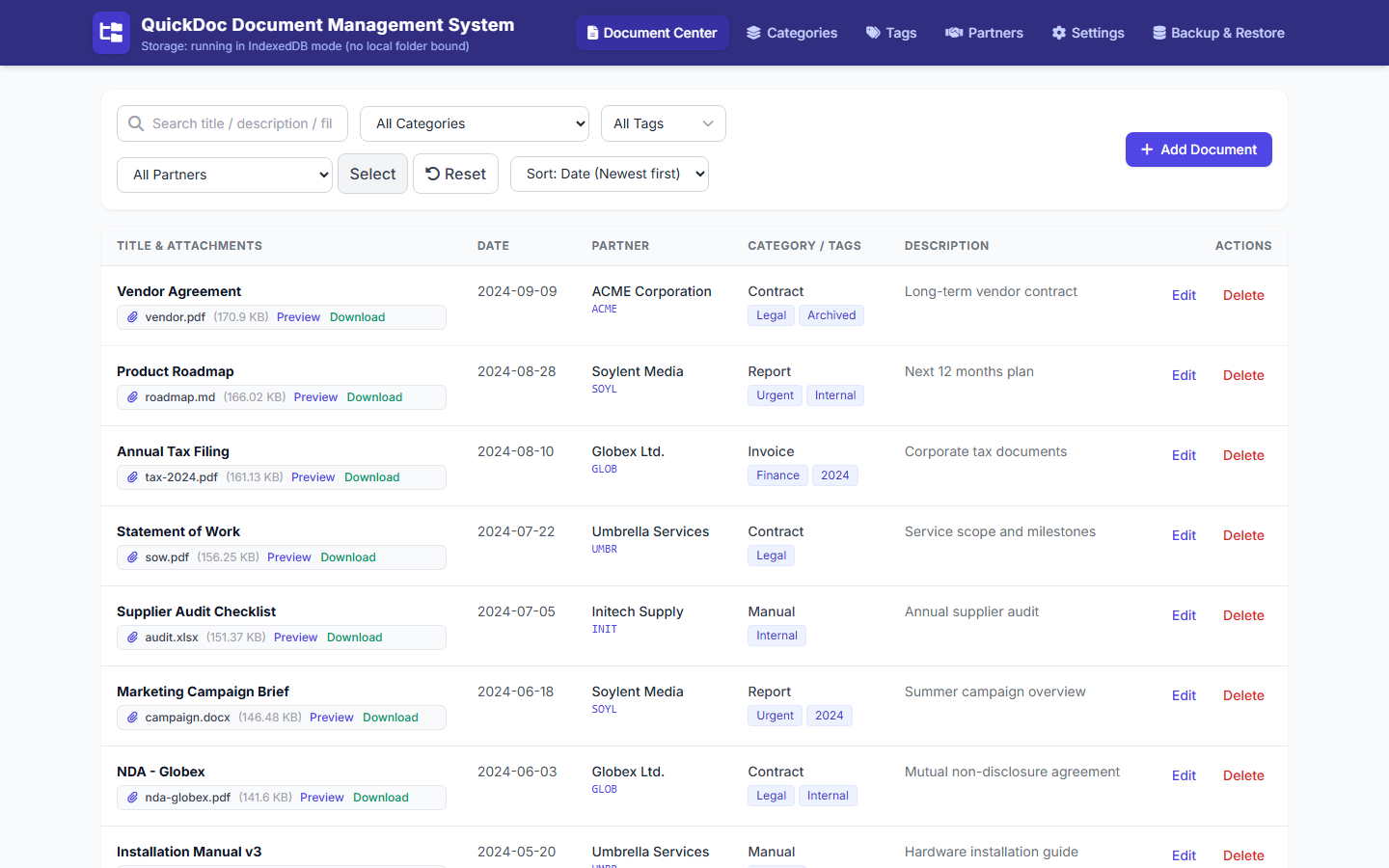
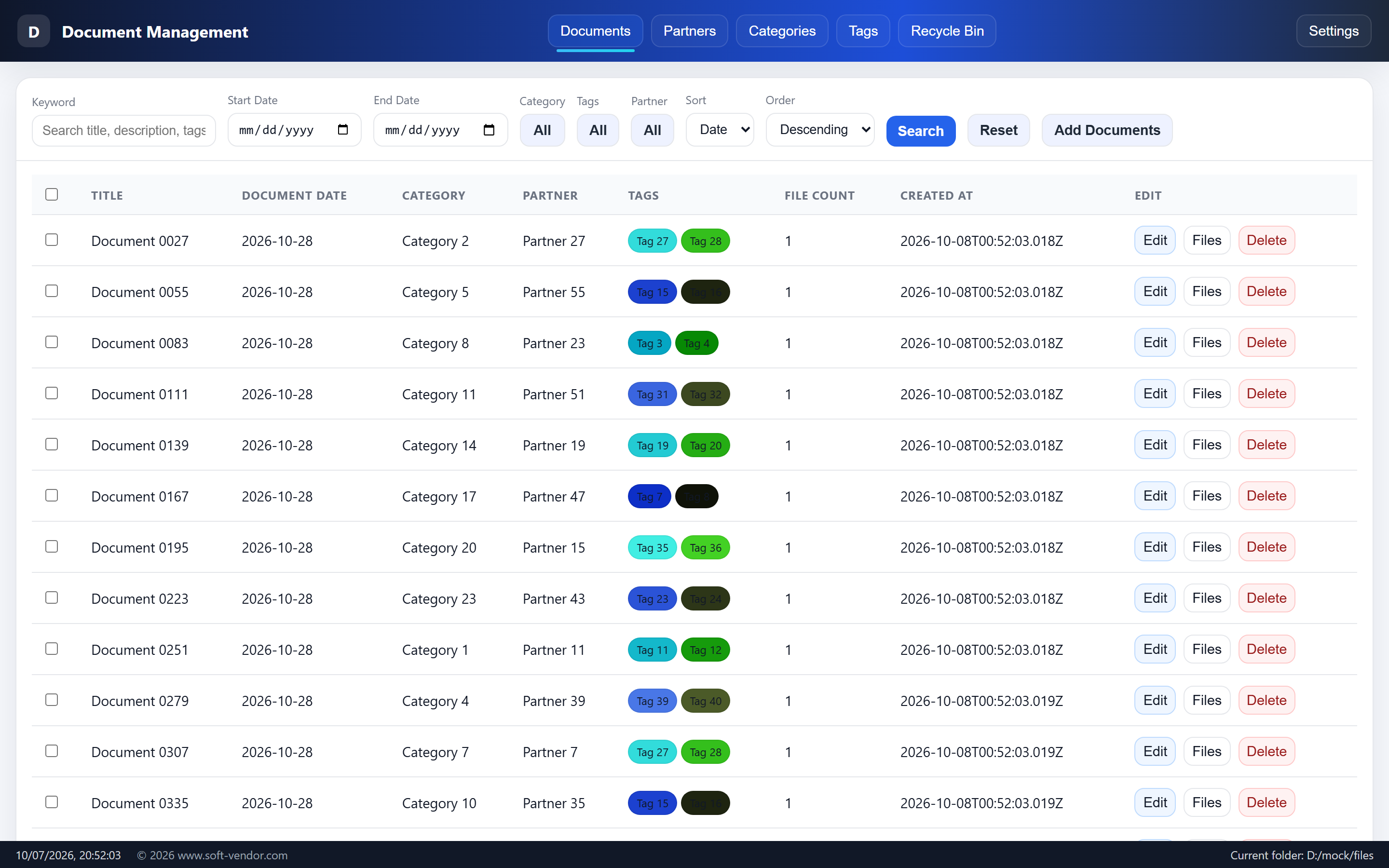
QuickDoc groups files that share a title into a single row and gives you every filter you need to find the right record in seconds.
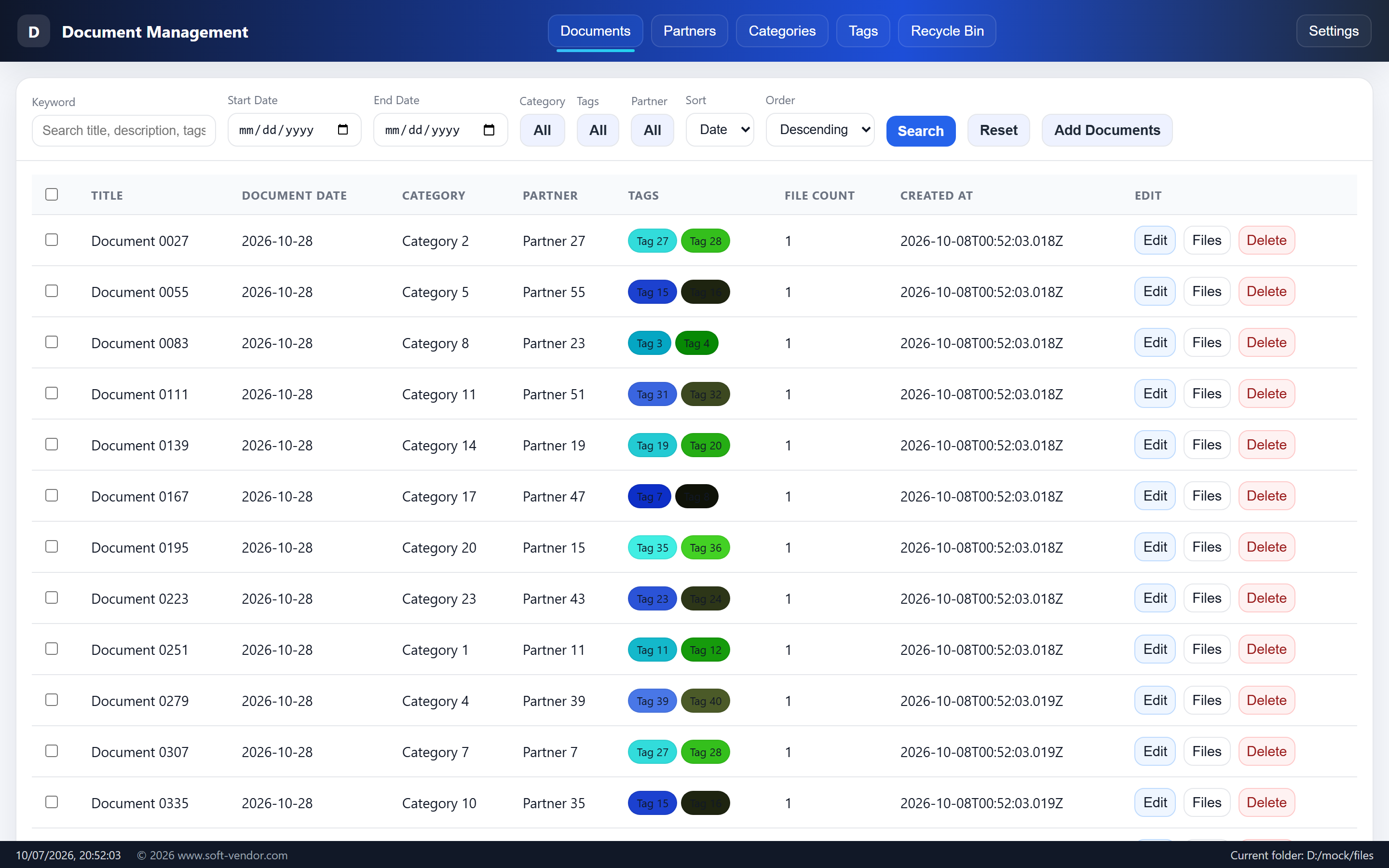
- One row per title — all files under the same document title are grouped, with columns for Title, Date, Category, Partner, Tags, File Count and Created At.
- Keyword search across title, description, tags, file name and file extension.
- Combine filters — date range, category, tag and partner, plus ascending / descending sorting and selectable pagination.
- Category & tag filter dialogs — multi-select in a dialog, then filter documents by the chosen values.
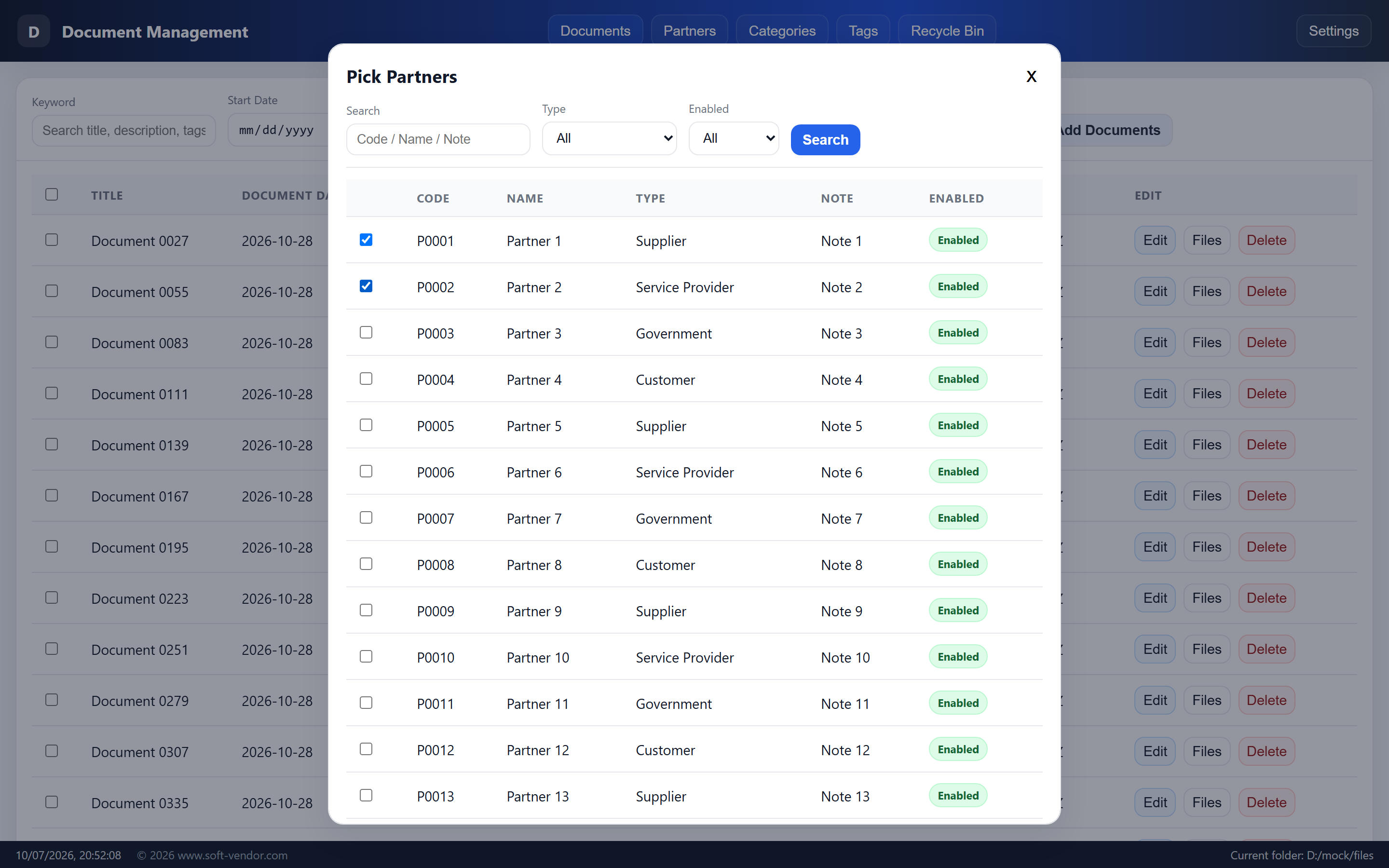
- Partner filter dialog — narrow by keyword (code / name / note), type and status, then multi-select across pages with a Clear button.
- One-click Reset clears every filter, and instant preview opens PDFs, images and Markdown (decoded as UTF-8) without closing the file list.
✅ Selection & bulk actions
Select one or many documents with row checkboxes (the header checkbox selects the current page). The toolbar then reveals bulk actions for the selected titles.
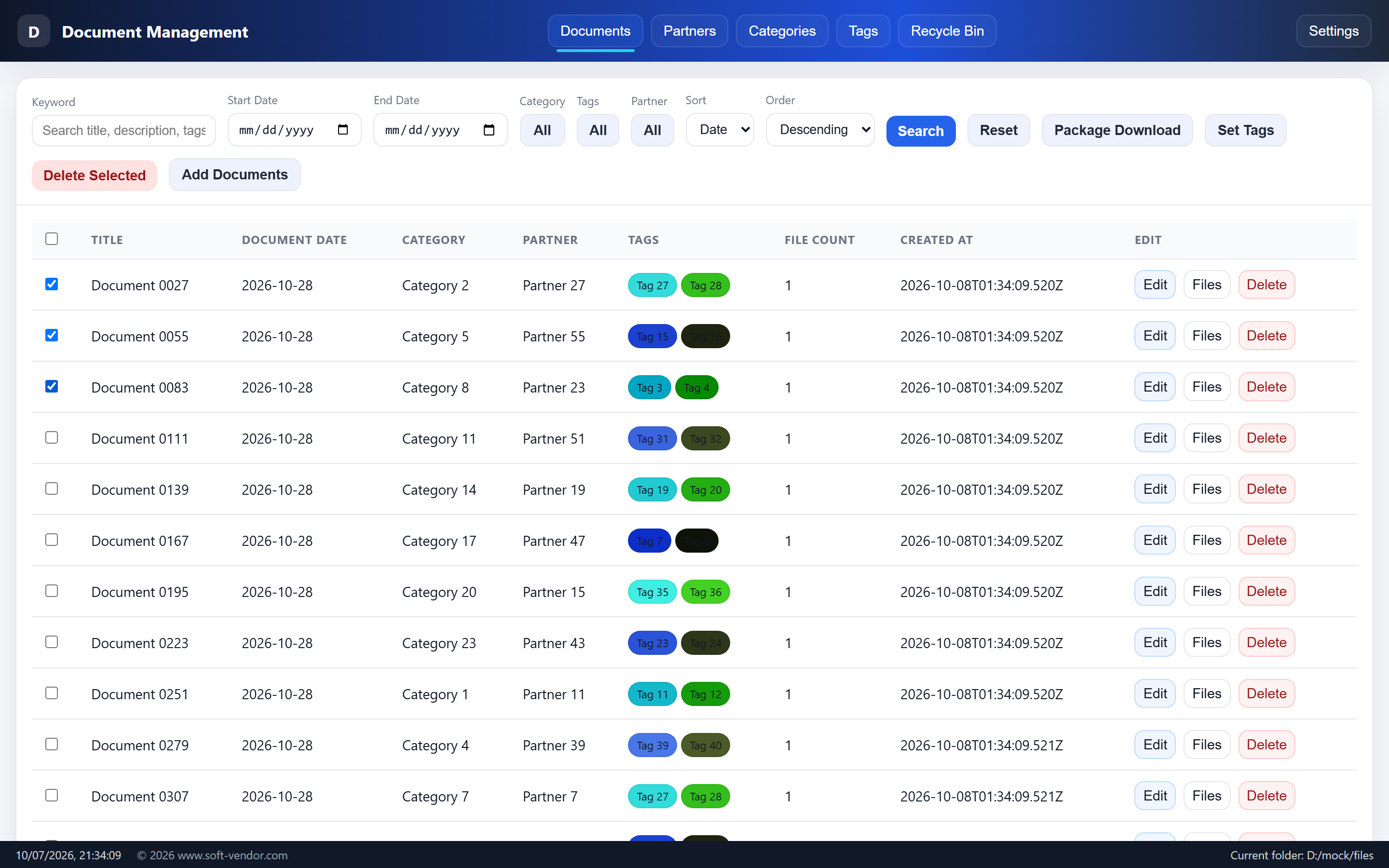
- Package Download — bundle the selection into per-title ZIPs.
- Set Tags — apply tags to many documents at once, with Replace, Append or Cancel.
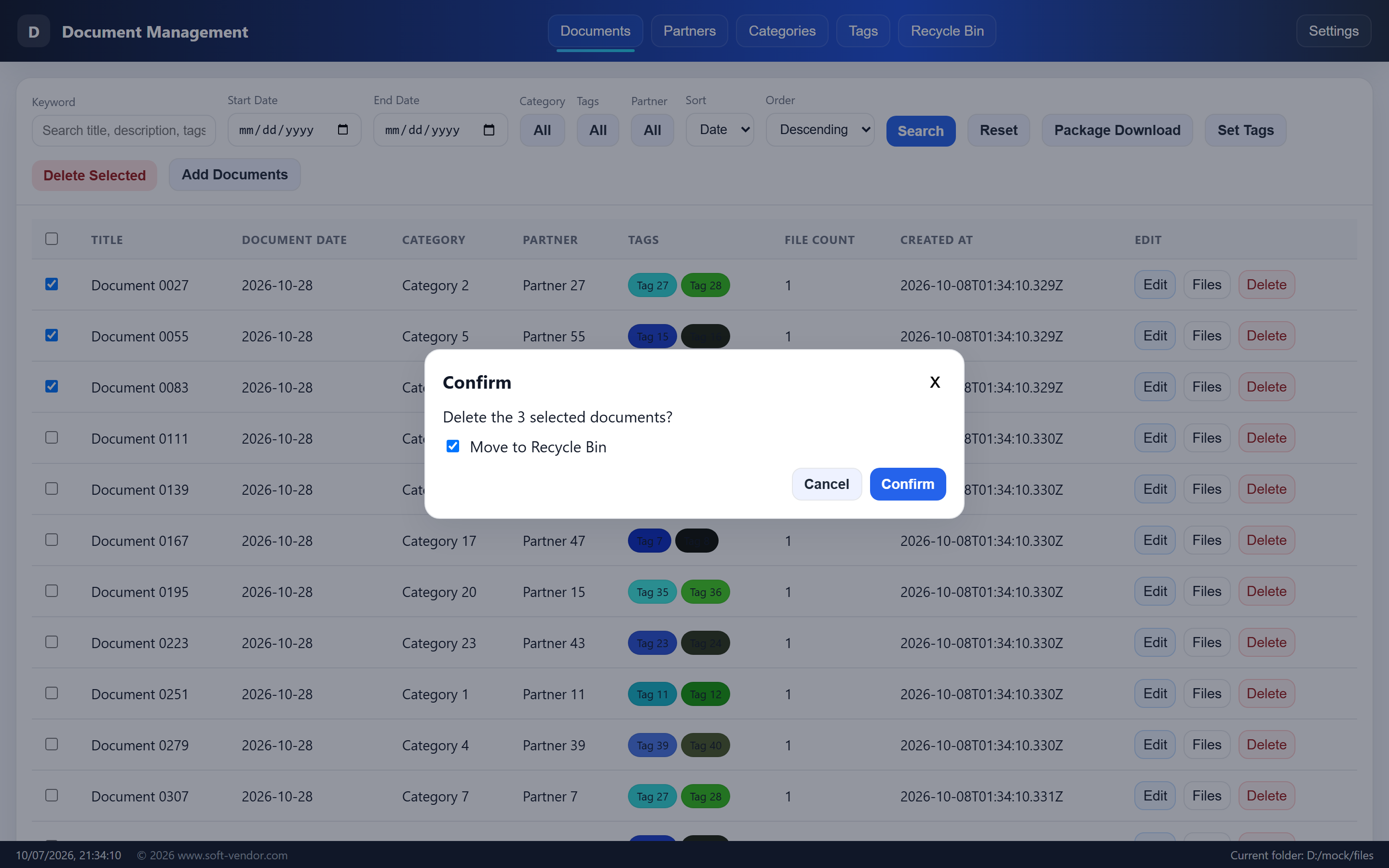
- Delete Selected — bulk delete; the confirm dialog has a “Move to Recycle Bin” checkbox checked by default (keep it to stay restorable, uncheck to delete permanently).
📦 One-click package download
Bundle any selection of documents into clean ZIP files, ready to email or archive.
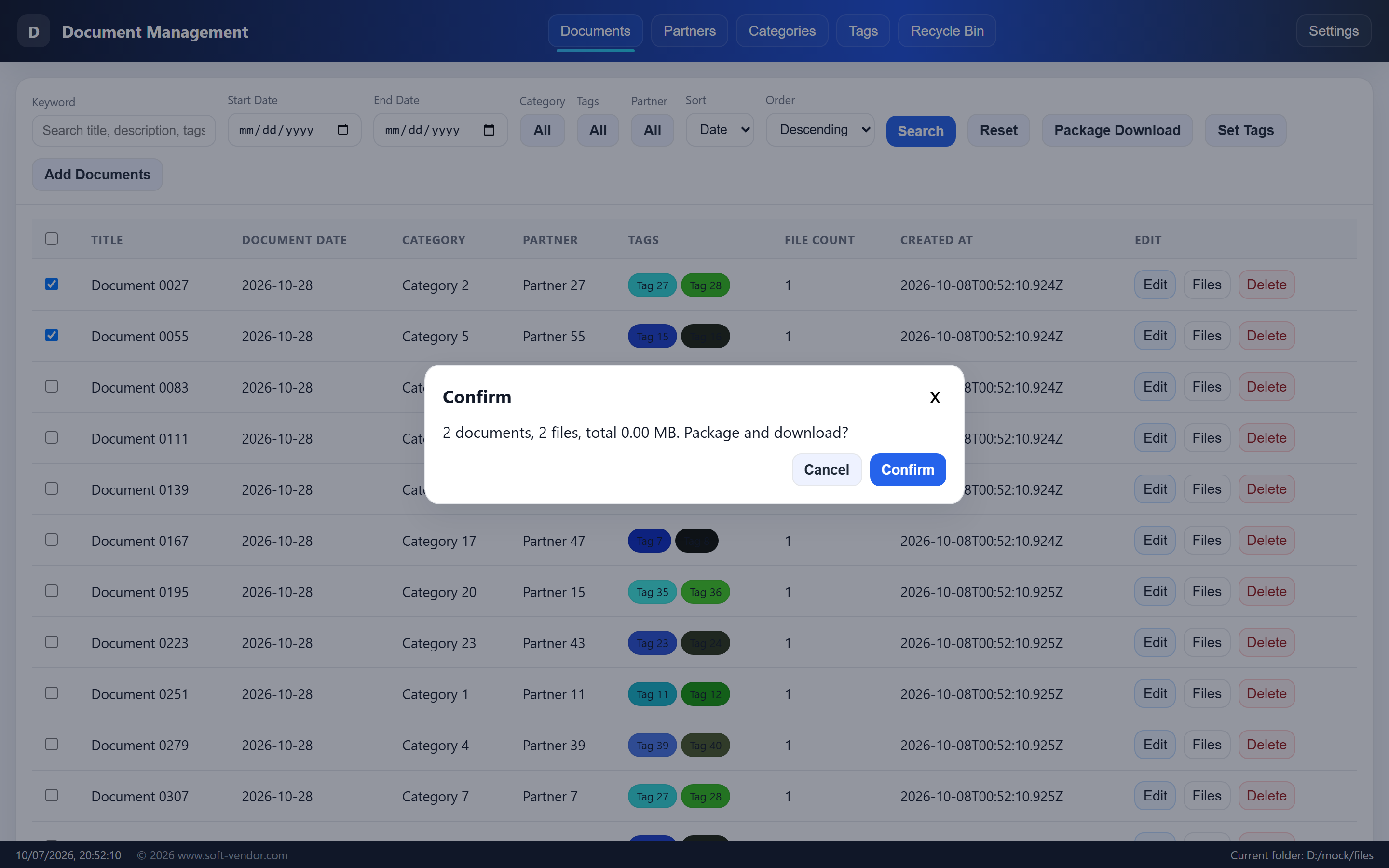
- A summary prompt shows the number of documents, number of files and total size before you start.
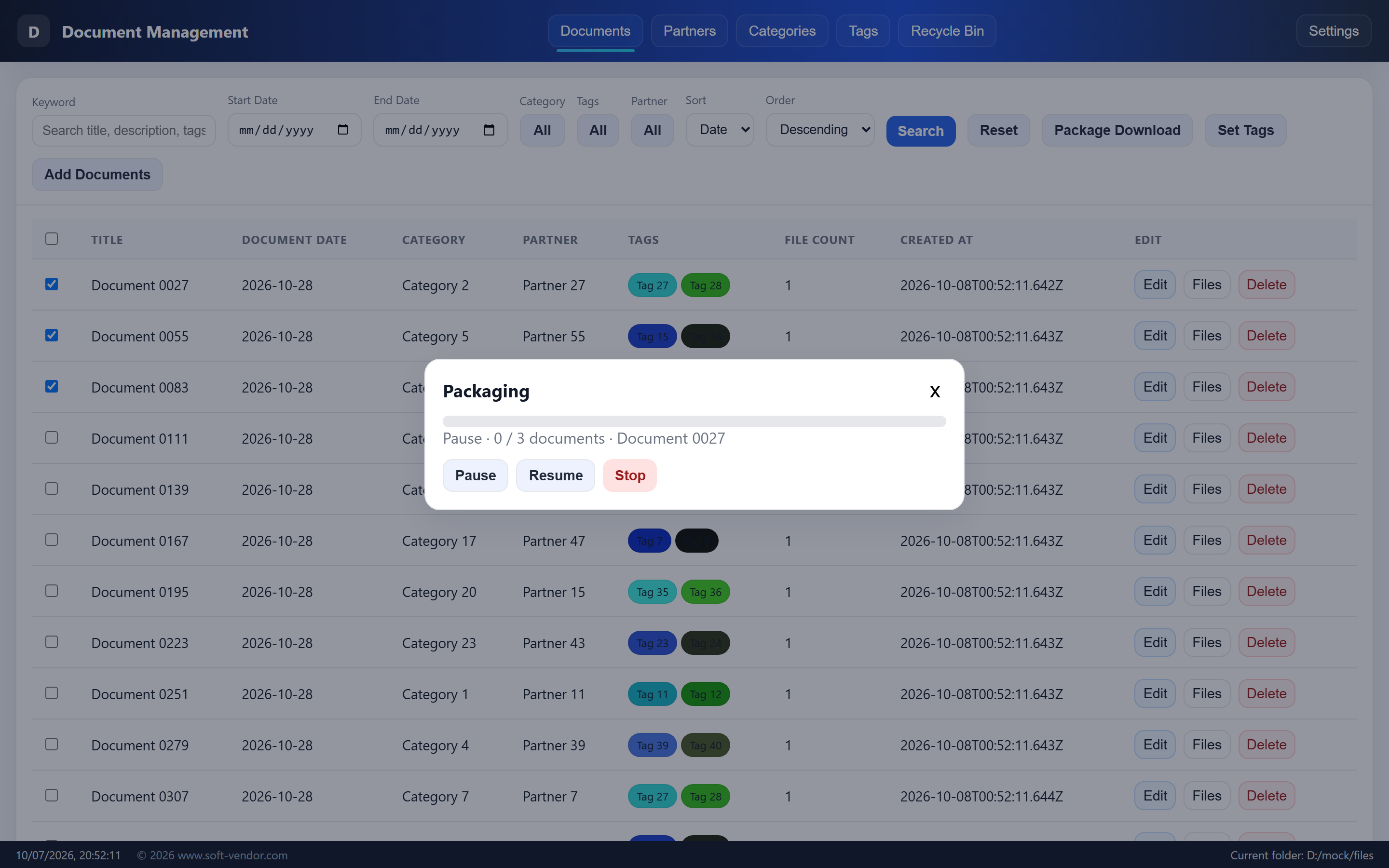
- Watch compression progress with Pause / Resume / Stop controls.
- Each document title becomes its own ZIP, saved to your default download folder, with a
readme.txtinside containing the title, date, partner code & name, category, tags and file names. - Same-named ZIPs get a unique ID so nothing is ever overwritten.
🗑️ New — Recycle Bin
Deleting no longer means losing data. A dedicated Recycle Bin in the top menu keeps soft-deleted documents — attachments included — until you decide to restore or purge them.
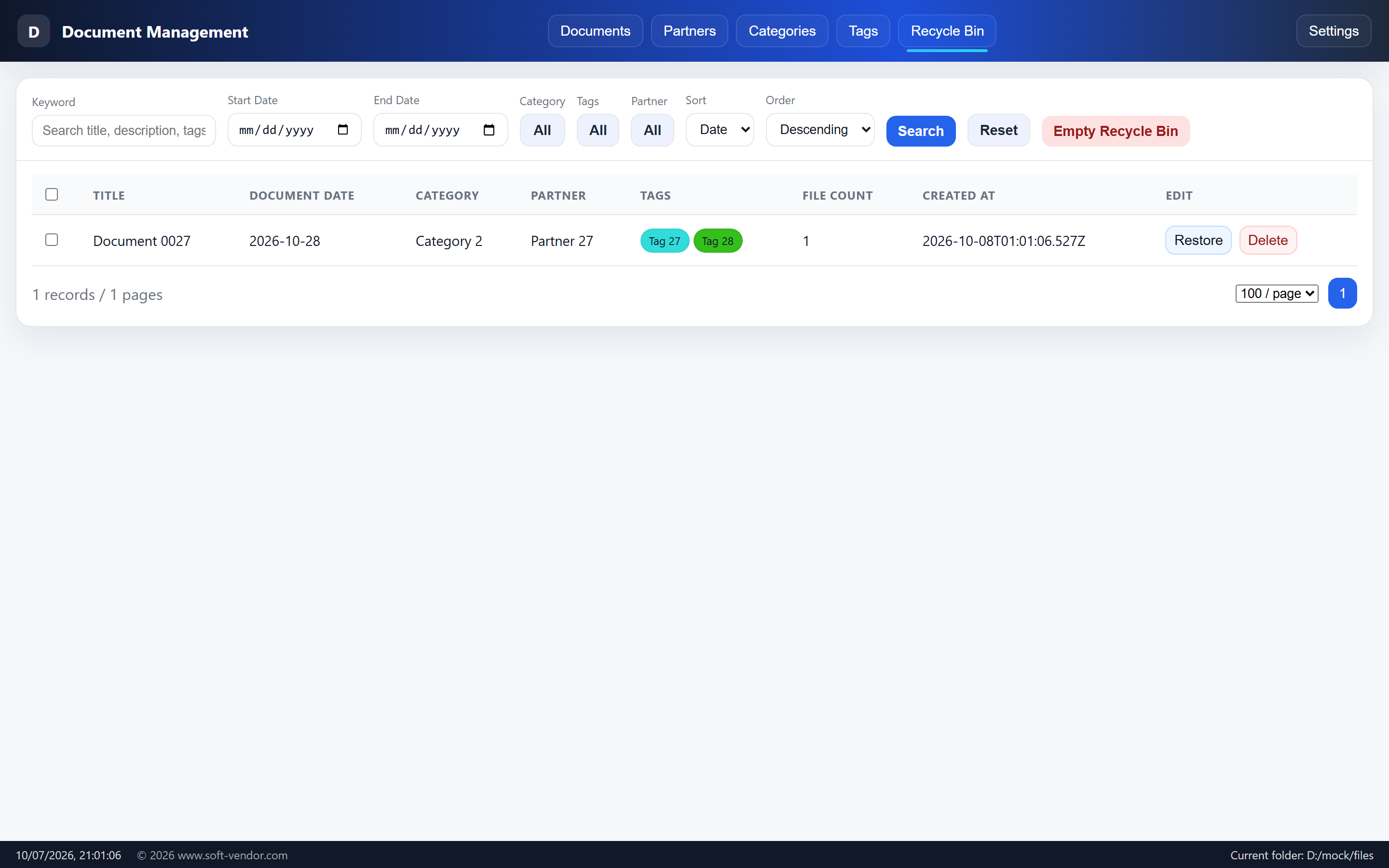
- Deleting from the Document Center moves documents to the recycle bin by default; uncheck “Move to Recycle Bin” to delete permanently.
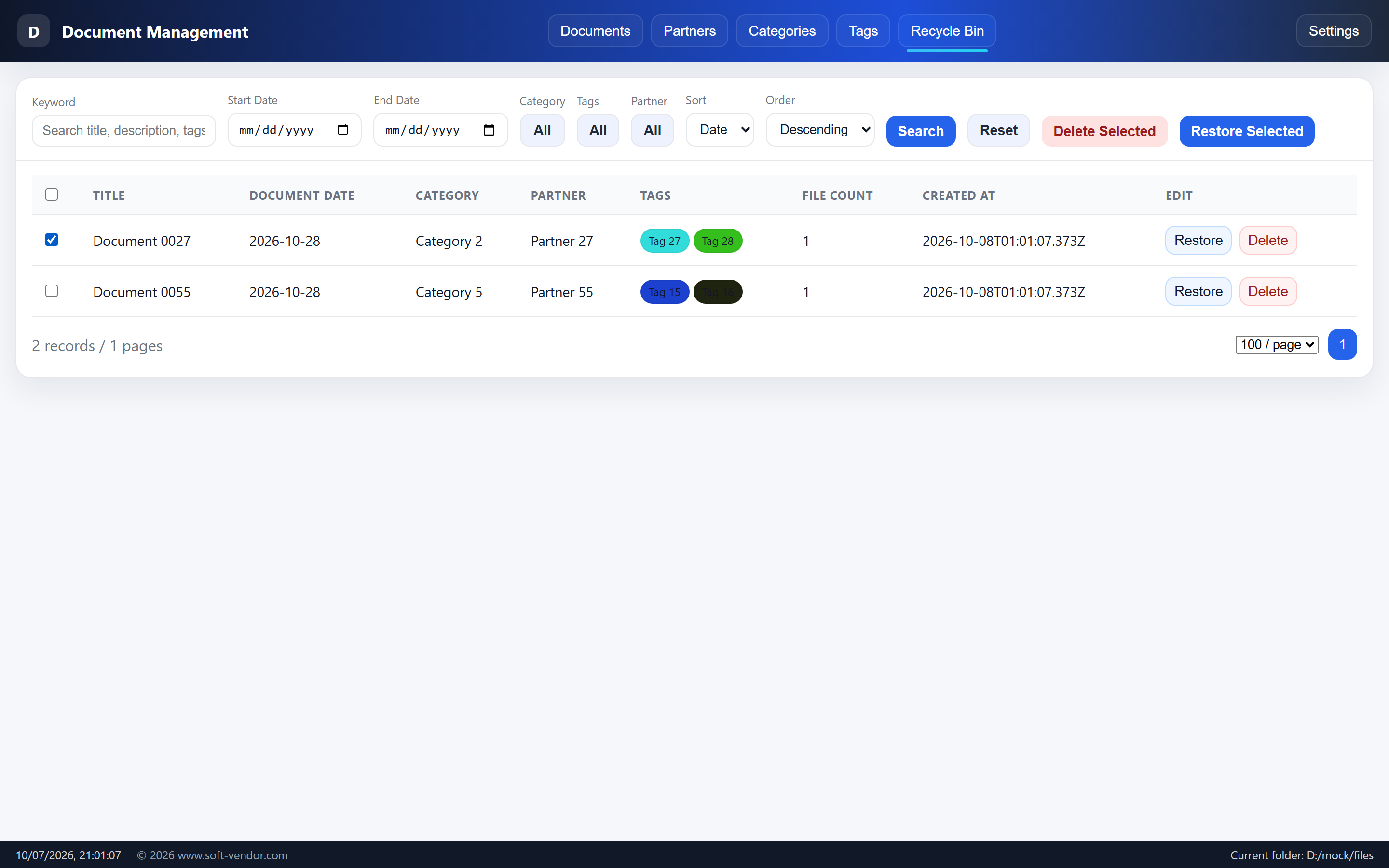
- The recycle bin offers the same filters as the Document Center (keyword, date, category, tag, partner, sorting) plus Reset and Empty Recycle Bin.
- Row actions: Restore and Delete (permanent).
- When items are selected, Delete Selected and Restore Selected appear for bulk restore / purge.
🤖 Built-in MCP service for AI agents
QuickDoc ships with a standards-compliant MCP (Model Context Protocol) server, so Claude Desktop, Cursor, Continue or any custom agent can manage your documents through natural language.
- Start the app with the
mcpargument and it speaks JSON-RPC over stdio:initialize,notifications/initialized,tools/list,tools/call. - 40+ tools across six groups: Documents, Categories, Tags, Partners, Bulk organisation, Package download, plus Backup / Settings / Language tools.
- Full CRUD for documents (
list_documents,get_document,get_document_file,create_document,update_document,delete_document) and bulk merge / rename / toggle for categories, tags and partners. - Package from AI —
package_summary,package_documentandpackage_documentslet an agent measure and ZIP documents on command. - Every
tools/callis validated against the tool's JSON Schema before execution, rejecting missing required fields, unexpected fields, wrong types, out-of-range enums, invalid formats and duplicate array items. - The MCP process shares the same SQLite database and file directory as the desktop UI, so AI actions and your screen stay perfectly in sync.
🌍 Multi-language support
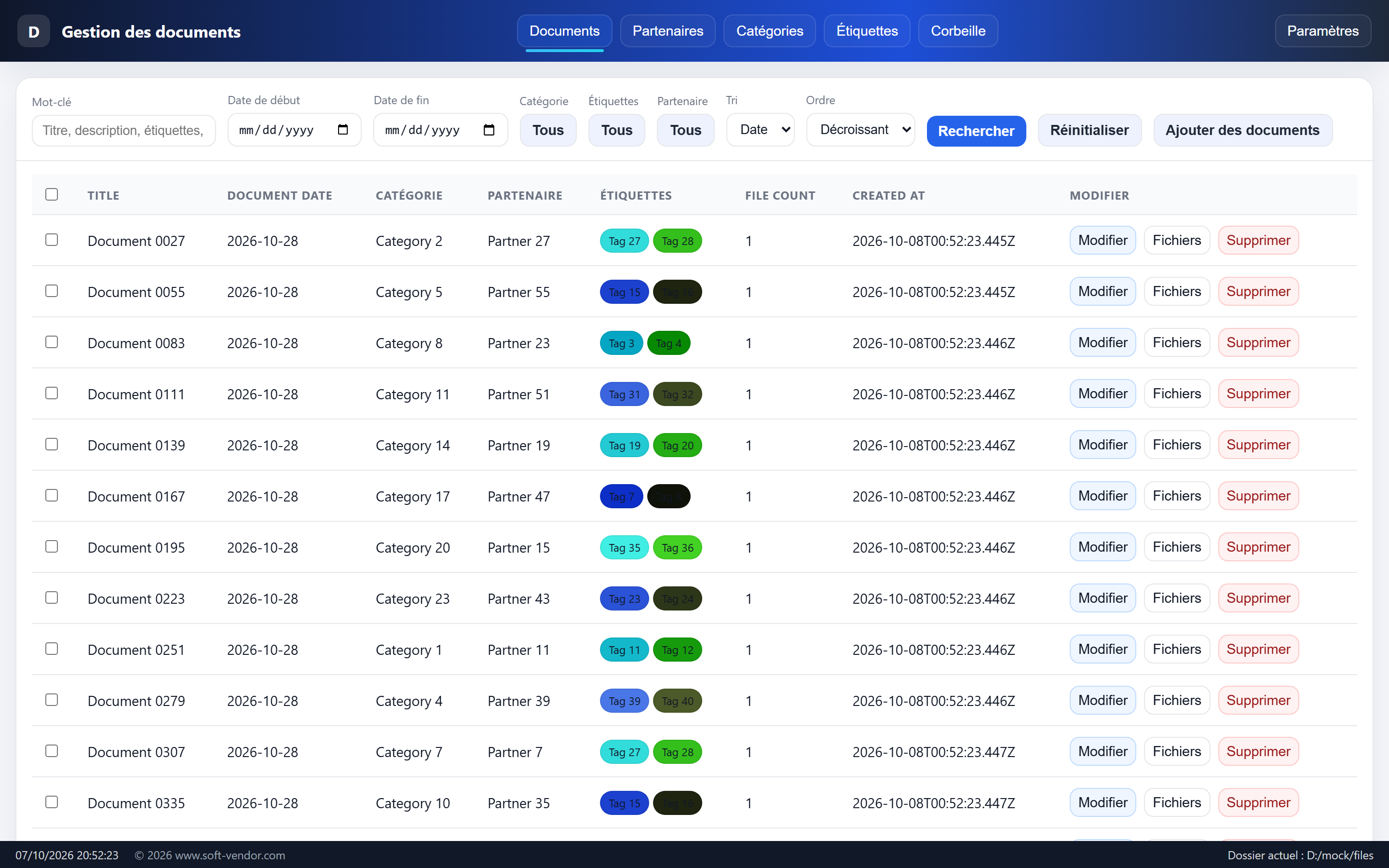
Every label, dialog and date control follows the app language — and adding a new language takes a single JSON file.
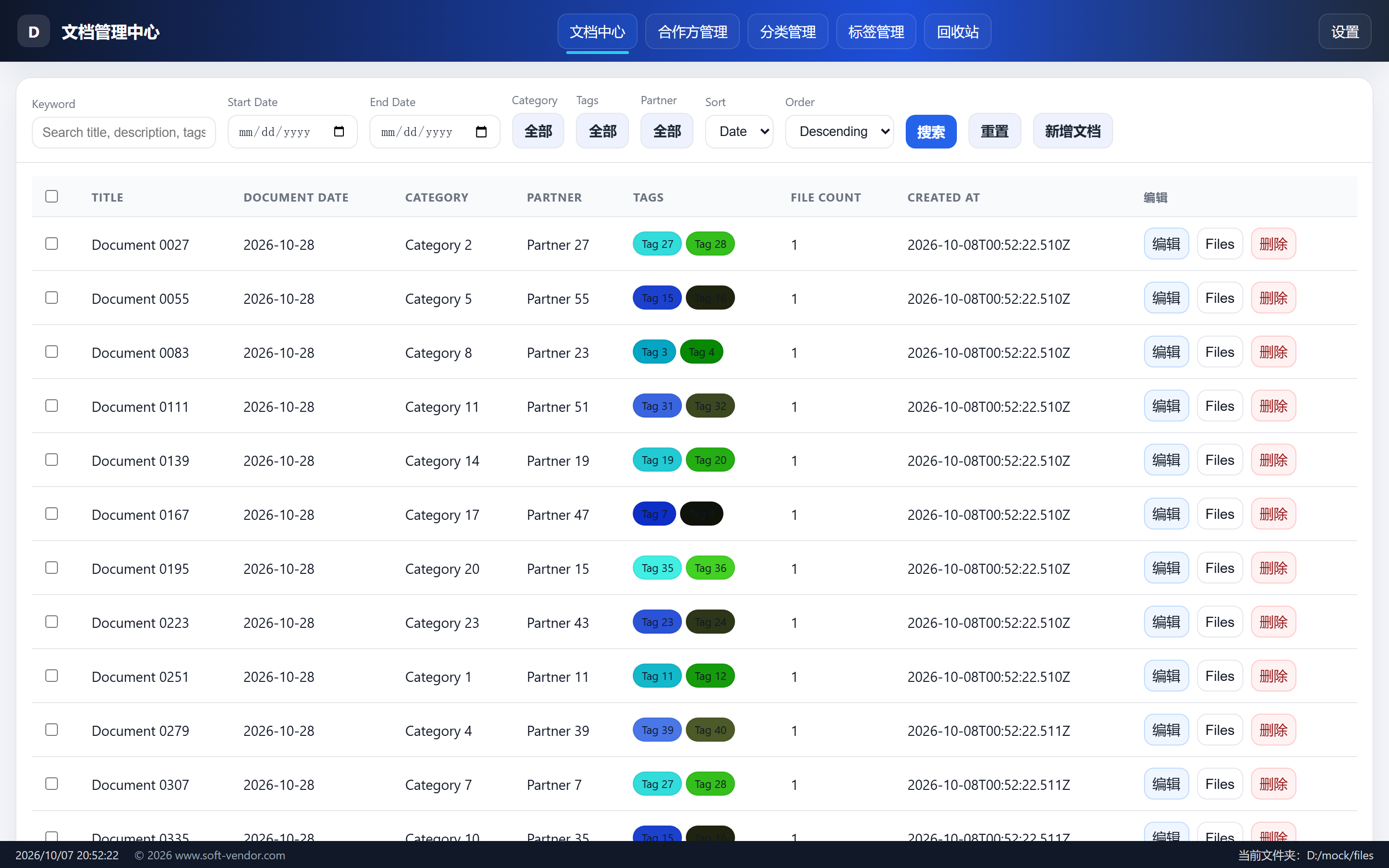
- Language dictionaries live in the
langs/directory as plain JSON; English is the built-in fallback and Chinese ships as a seed. - Ready-made packs included for Spanish, French, German, Japanese, Malay, Thai and Russian.
- Missing keys fall back to English automatically, and on startup any new keys are merged into existing files without overwriting your translations.
- Date pickers follow the selected language via
<html lang>, and you can switch languages live from Settings — no restart needed.
🔐 Activation
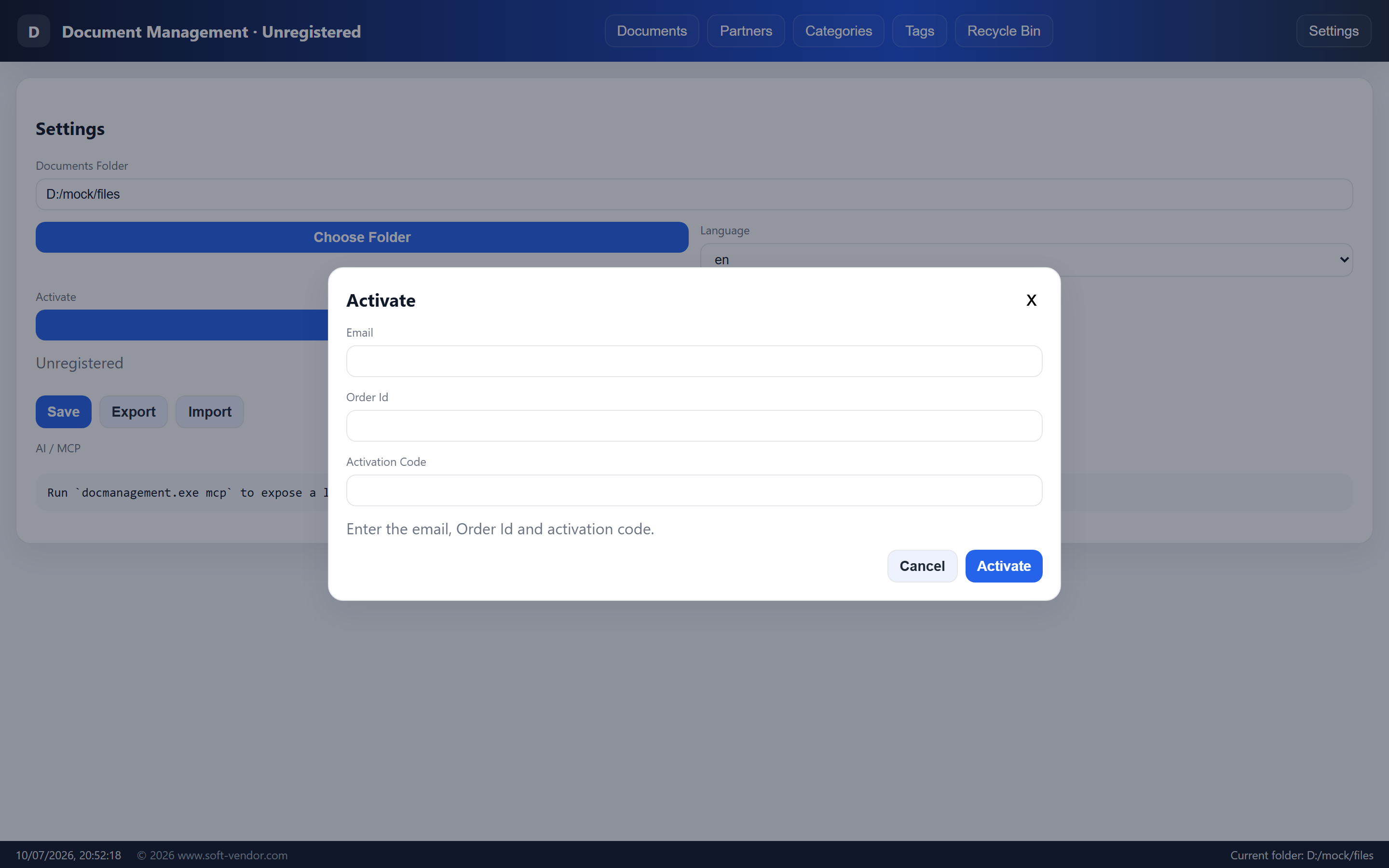
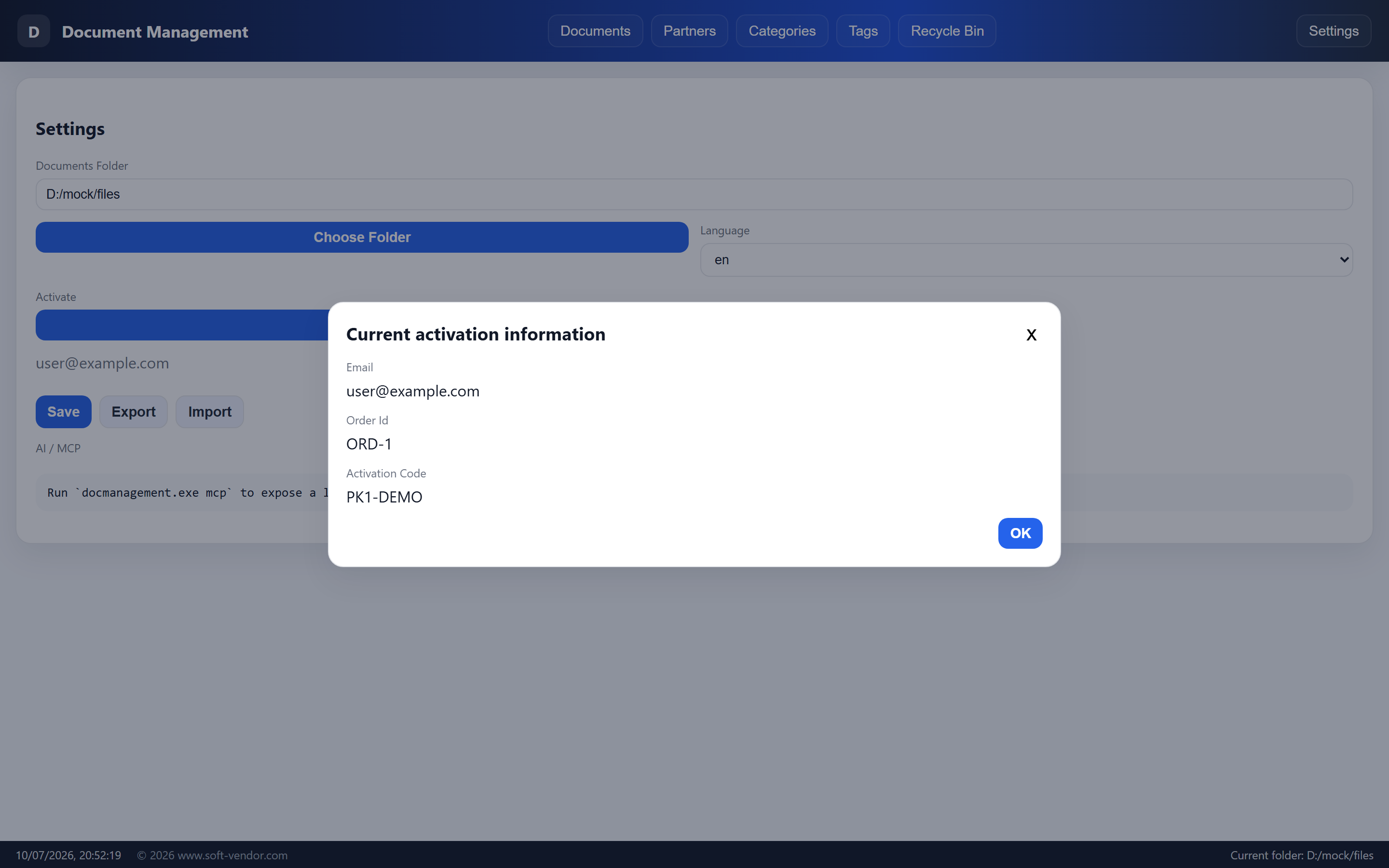
- Activate with your email, Order Id and activation code (validated locally with an Ed25519 public key — the product id and public key are embedded in the app).
- On success the values are stored and re-validated on every launch; you can review the current activation any time.
- Unregistered installs run in a limited mode: up to 50 document records (beyond that is rejected with a prompt).
And everything else
- Document centre with add / edit / delete, shared metadata per title, upload progress with Pause / Resume / Stop, and large-file warnings.
- Category, tag and partner management — create, edit and disable; deleting an in-use category, tag or partner safely disables it instead.
- Backup & import with a progress dialog — export everything as a ZIP (
metadata.json+files/) and restore it on any machine. - Validation limits — up to 100 MB per file, 1,000-character titles / codes, 20,000-character descriptions, with warnings above 20 MB or 10 files.
- Private by design — a single-file local app with no accounts, no cloud and no telemetry.
Tech stack: Go · Wails · SQLite · JSON-RPC MCP. Package: quick_doc.zip (Windows desktop, ready to run).
What you can do with it
- ✓ Grouped documents with instant keyword, date, category, tag & partner filters
- ✓ New recycle bin: restore, bulk restore, permanent delete or empty
- ✓ Bulk actions on a selection: Package Download, Set Tags, Delete Selected
- ✓ One-click per-title ZIP packaging with pause / resume / stop
- ✓ AI-ready MCP server with 40+ document, category, tag & partner tools
- ✓ Multi-language UI: English, 中文, Español, Français, Deutsch, 日本語, Bahasa Melayu, ไทย, Русский
- ✓ Ed25519 activation plus backup export / import
- ✓ Fully offline single-file desktop app (Go + Wails + SQLite)